
Thumbnails
Thumbnails are cover images made for the finished video. The chip sits in the second row on the composer, off until you pick a look, and it prints what the extra costs beside its name either way.
Turning them on
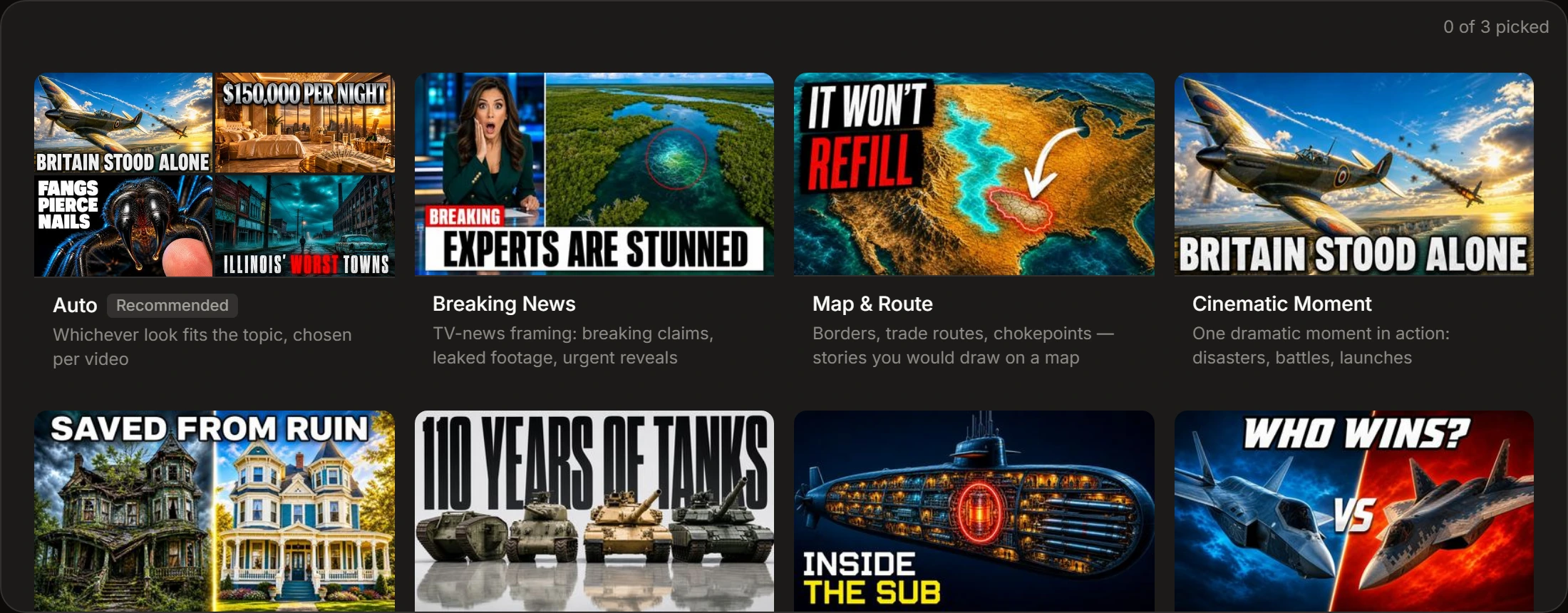
Section titled “Turning them on”Clicking Thumbnails opens the panel; the pick inside is what turns the extra on and adds its charge. The panel takes one of three answers, and each one gives you three covers:
- Auto — Kutly picks three looks that suit the topic, one cover each.
- One look — three takes on it.
- Up to three looks — one cover each. Pick two and the third repeats the first.
Auto is a card you have to click. Click a picked card again to take it back; taking back the last one turns thumbnails off.
A × appears beside the chip once the extra is on. It turns thumbnails off and puts the panel away with them.
Three to choose from
Section titled “Three to choose from”Three covers come with the finished render, under Thumbnail — choosing between them is the point of getting three. A render that comes back without them is still a finished render.
Seeing one as YouTube will draw it
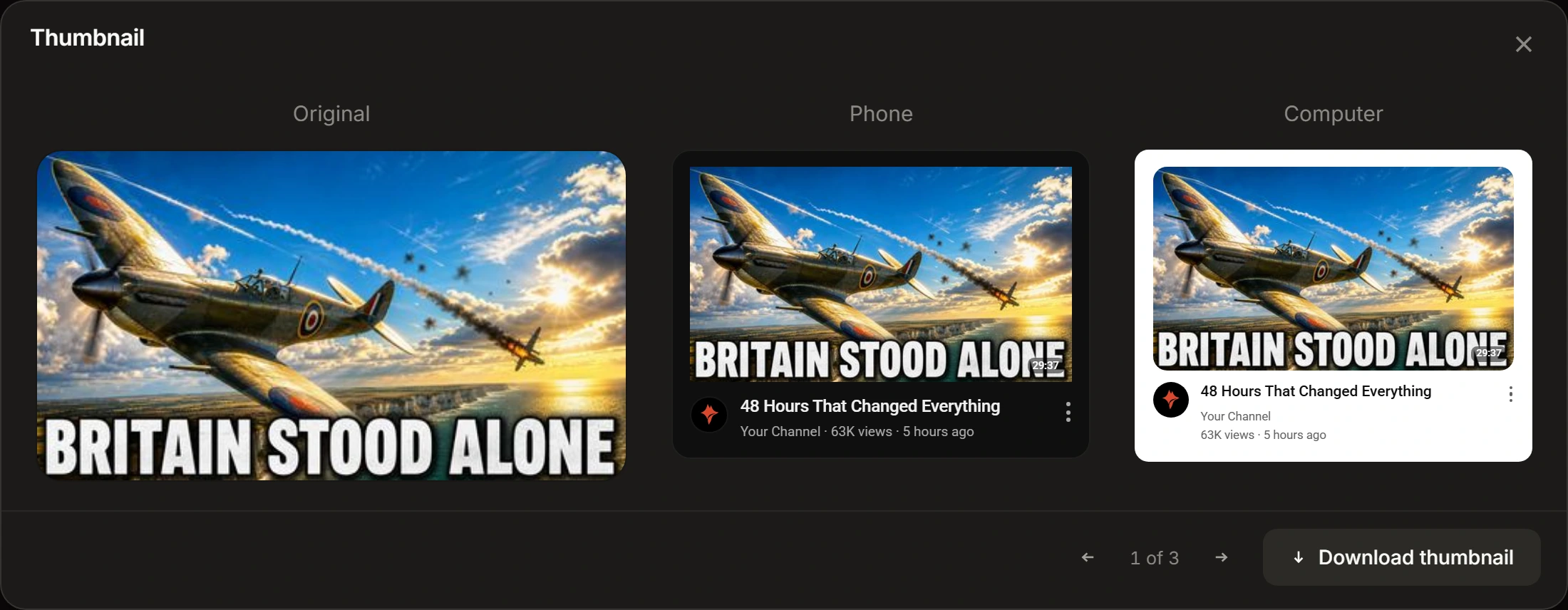
Section titled “Seeing one as YouTube will draw it”Click a cover and it opens three ways at once: Original, Phone and Computer.
Original is the image itself. The other two are the image inside a YouTube card — the phone’s dark one and the desktop’s light one, each with a title, a channel line and the duration badge YouTube stamps into the bottom corner.
That is what the two mock-ups are for. A cover that looks strong on its own can lose against everything around it at card size, and the badge sits over the bottom-right corner whatever is drawn there. Both are cheaper to find here than after publishing.
Arrows step between the three covers without closing the sheet, and the left and right keys do the same. Download thumbnail is at the foot.
What it costs
Section titled “What it costs”The thumbnail extra is flat: one charge, added after the length arithmetic, the same whichever way you answered the panel. The receipt carries a Thumbnails line only while the extra is on.
The rest of the sum is on Length and credits.